PortalCam
The first true spatial camera.
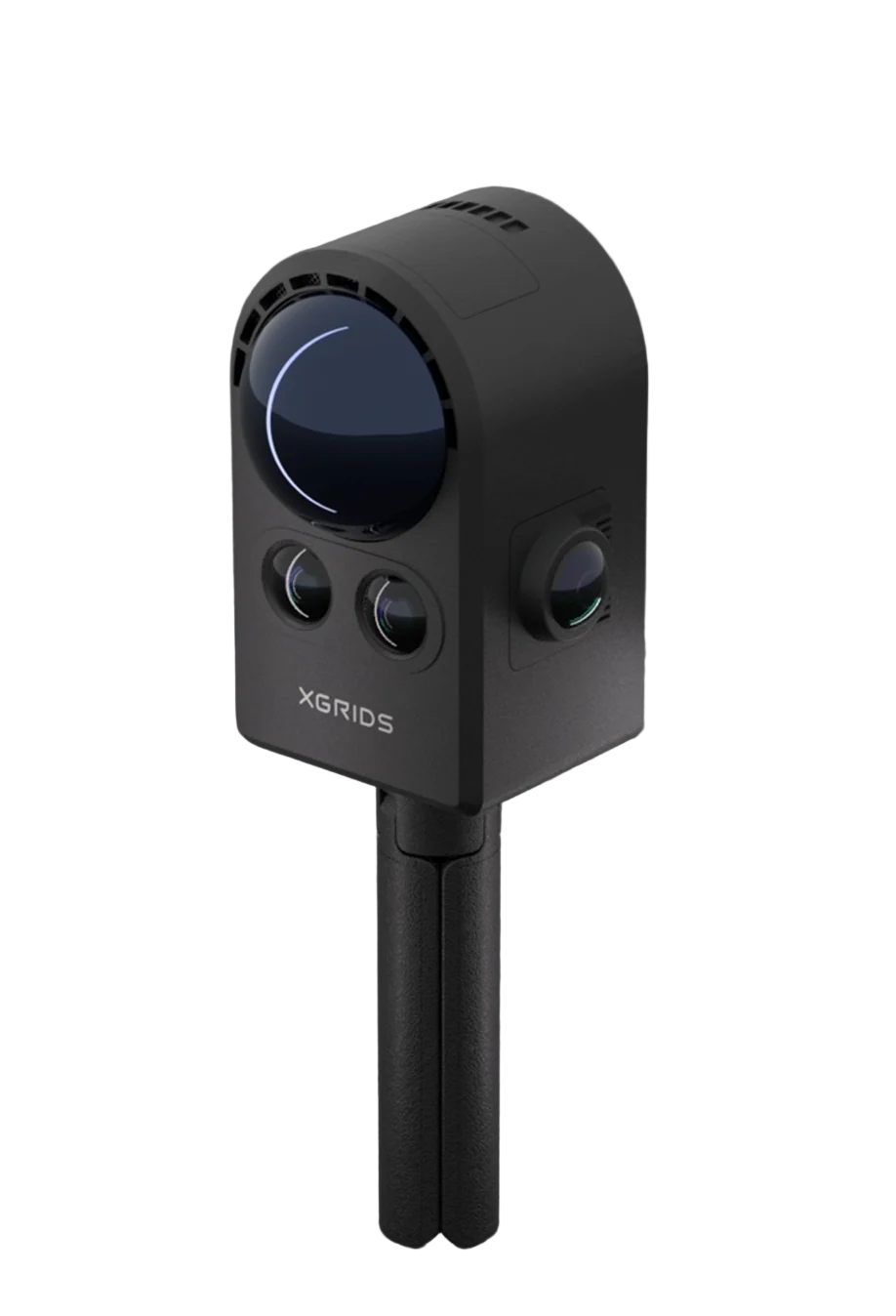
A handheld camera that pairs LiDAR with four 12 MP cameras to turn a real place into a photorealistic 3D Gaussian splatting model. It weighs about 870 g and has no screen to carry, because your phone runs the capture.
870 gWeight without tripod
4 × 12 MPCamera array
856,000LiDAR points per second
60 mRange at 90% reflectivity
Honored at NAB Show 2026
PortalCam was recognized in the NAB Show 2026 Product of the Year awards, the show's yearly honor for new products in broadcast, media and entertainment.
It suits that audience. The camera is made for people who build images: film crews, game artists, real estate teams and XR studios.
Capture how a place looks, then walk through it again in 3D.
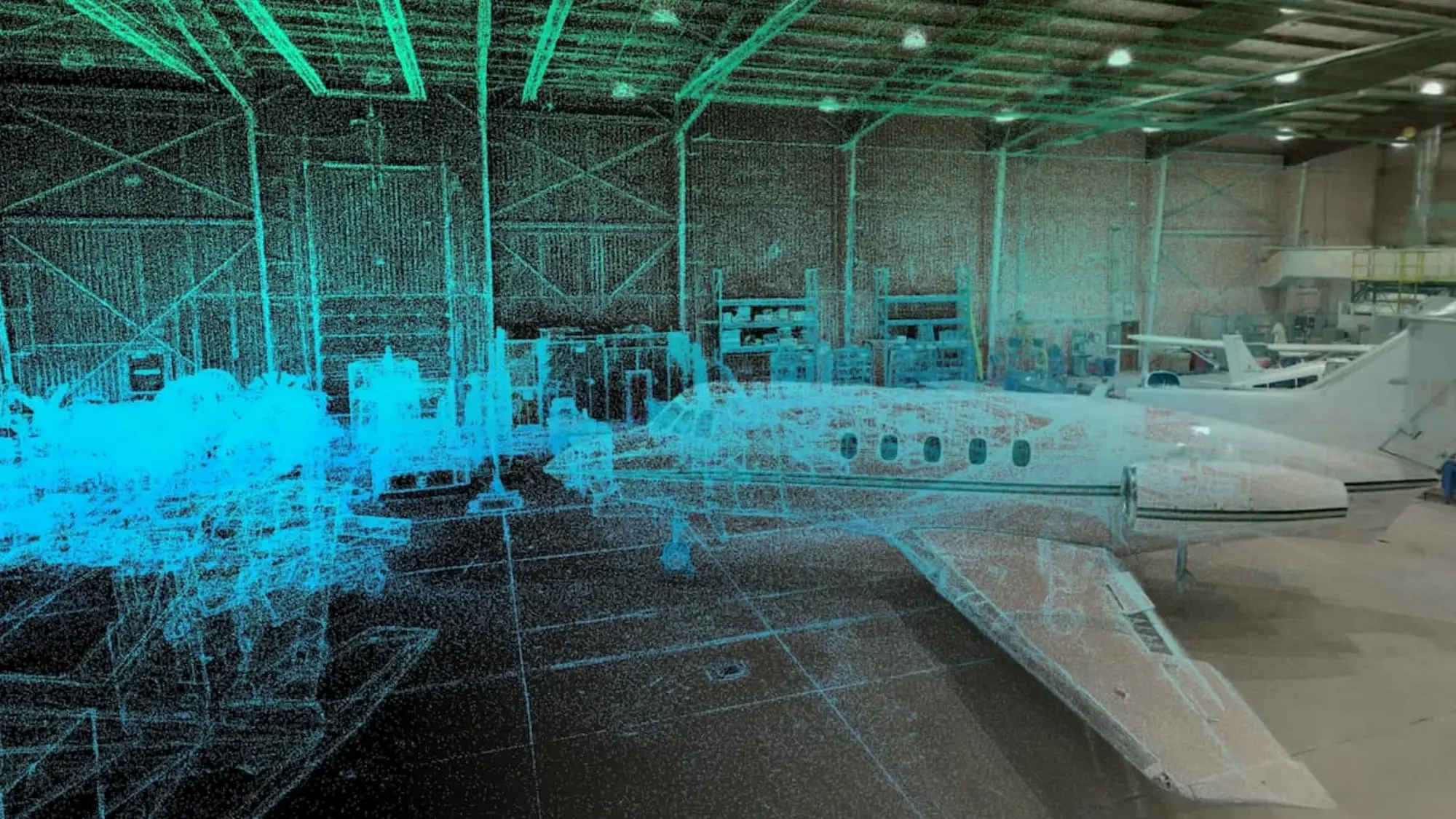
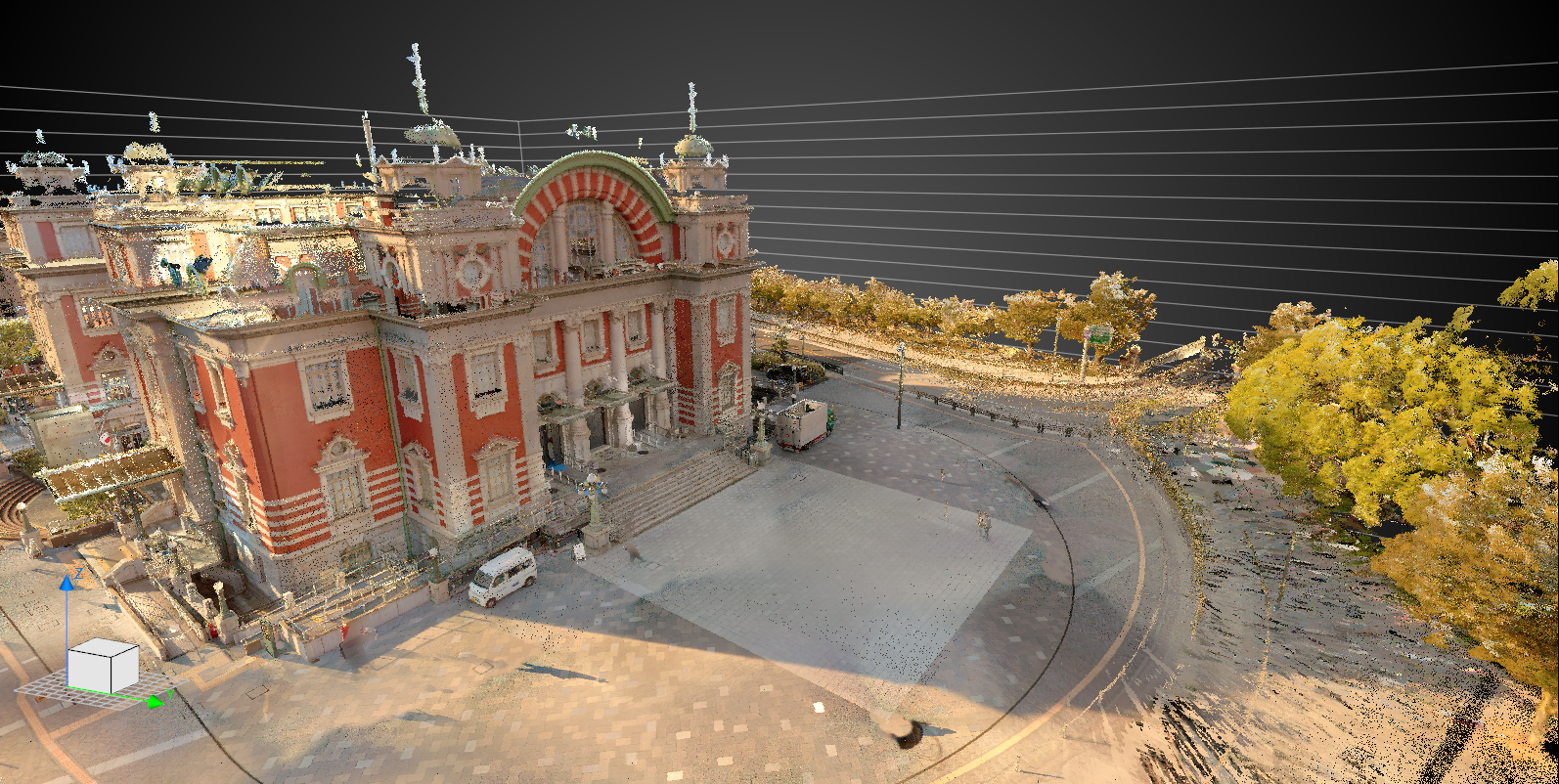
LiDAR supplies the depth. Four cameras supply color and lighting. Together they are processed into a 3D Gaussian splatting model, a scene you can move around in rather than a flat photo or a bare point cloud.
PortalCam is a visual-first camera. If your deliverable is a measured point cloud, look at the Lixel K2, L2 Pro or L3 instead.
One LiDAR, four cameras, 870 grams.
Everything sits in an aerospace-grade aluminum body that measures 130 × 90 × 77 mm.
LiDAR
A Class 1, 940 nm laser with a 180° × 180° field of view. It measures from 0.1 to 30 m on dark surfaces and reaches 60 m on bright ones.
856,000 points per secondFisheye cameras
Two 12 MP cameras with a 200° × 200° view each, so the whole scene around you is recorded.
2 × 200° × 200°Front cameras
Two 12 MP cameras with a 100° × 85° view each, for detail on the surfaces you point at.
2 × 4000 × 3000 pxRemovable battery
A 23.04 Wh Li-ion battery clips on and off. It charges from 0 to 90% in about 70 minutes.
60 min of continuous scanningPhone control
A magnetic mount holds your phone on the back. The LCC Scan app starts and stops the capture and shows what the cameras see.
iOS and AndroidStorage and links
Scans are stored on the device, then copied to a computer over USB 3.0. Wi-Fi 6 class wireless and Bluetooth 5.2 connect the phone.
512 GB internal storageUnboxing and first setup
The official quick-start video, from opening the case to copying your first scan to a computer.
01
Unbox
Open the case and check each item. The video names every accessory and shows where the LiDAR and cameras are.
02
Fit the battery
Slide the battery in with the arrow marker on the correct side and seat it fully until both side latches hold.
03
Attach your phone
Pull the rubber plug from the phone mount port, fit the mount and tighten the knob. A metal ring is included for phones that are not magnetic.
04
Power on and connect
Wait for the steady yellow light, then open the app on your phone. It finds the device and goes straight to the scanning screen.
05
Start and stop
Start from the record button in the app, or double-press the device button. When you stop, wait for the app to confirm the scan finished.
06
Transfer the data
Connect the device to your computer with the USB cable. It switches to USB mode on its own and you can copy the scan across.
What comes in the case
PortalCam ships in a protective carrying case with the accessories you need for the first scan.
- PortalCam camera
- Removable battery
- Magnetic phone mount
- Mini tripod
- Protective cover
- Charger and Type-C cable
- Phone connection cable
- Type-C to Type-A converter
- Cleaning cloth
- LCC license activation card
- Quick start guide
- Warranty card
Contents shown in the XGRIDS quick-start video. Ask us to confirm the exact package when you order.
Scanning technique that gives clean results.
These rules come from the official XGRIDS scanning guide. Follow them and the model comes out sharper, with fewer gaps to fix later.
0.5 m/sRecommended walking speed
1 m/sNever go faster than this
±60°Maximum tilt of the device
0.5 mBest distance to the subject, about one arm's length
Do
- Clean the lens before you start.
- Scan the overall environment first, then go back for detail.
- Move closer to key objects and circle them slowly, from different angles and heights.
- Follow a serpentine path and cover each area in both directions.
- Check all four camera views in the app, and the point density. Scan closer where it is low.
- End the scan on a flat surface.
Avoid
- Turning quickly or moving the device fast.
- Shaking or swishing the camera.
- Tilting beyond 60°.
- Getting too close. Keep about 0.5 m from the subject.
- Highly reflective surfaces at close range. Keep 1 m away.
Based on the PortalCam Scanning Guide published by XGRIDS.
From capture to finished model
Capture happens on site with your phone. Processing happens on your computer, and the finished model leaves in a format you can share.
01
Capture
Scan with the LCC Scan app. Watch the four camera views and the point density while you walk.
02
Process
Open the data in LCC Studio, also called Lixel CyberColor. An LCC license activation card with an annual code is in the case.
03
Export
Save the finished 3D Gaussian splatting model as LCC or PLY.
Who it is for
Real estate and showcases
Let buyers and visitors walk through a property or a showroom in photorealistic 3D.
Film and virtual production
Capture locations and sets as 3D scenes for planning and virtual production.
Games
Bring real spaces into game and 3D art pipelines as ready-made environments.
XR and VR
Immersive scenes for headset experiences and spatial demos.
Architecture and design
Show a client an existing space as it really looks before work begins.
Immersive content
Virtual tours and interactive stories built on real places.
Where PortalCam fits in the XGRIDS range
PortalCam is the visual-first choice. The Lixel range is built around measured point clouds.
| PortalCam | Lixel K2 | Lixel L3 | |
|---|---|---|---|
| Built for | Photorealistic 3DGS capture | Lightweight surveying | Highest-accuracy surveying |
| Weight | 870 g, without tripod | About 1.2 kg | 2.5 kg with battery |
| LiDAR points per second | 856,000 | 200,000 | Up to 640,000 |
| Range | 30 m, or 60 m on bright surfaces | 100 m max (40 m at 10%) | 120 m |
| Cameras | 4 × 12 MP | 3 × 12 MP | 3 × 50 MP |
| Relative accuracy | Not published | 1 cm | 5 mm |
| Control | Phone app | Phone app | Built-in 4.3-inch screen |
| Main output | 3D Gaussian splatting (LCC, PLY) | Point cloud, mesh, 3DGS | Point cloud, mesh, 3DGS |
Based on specifications published by XGRIDS and its partners. PortalCam has no published surveying accuracy figure, so choose a Lixel scanner when you need measured deliverables.
Technical specifications
LiDAR
| Laser class | Class 1, 940 nm |
|---|---|
| Scanning range | 0.1 to 30 m at 10% reflectivity, 60 m at 90% reflectivity |
| Field of view | 180° azimuth × 180° elevation |
| Point rate | 856,000 points per second |
Cameras
| Configuration | 4-camera array: 2 fisheye and 2 front-facing |
|---|---|
| Resolution | 4000 × 3000 px (12 MP) each |
| Sensor | 1/2-inch CMOS, rolling shutter |
| Fisheye field of view | 200° × 200° each |
| Front field of view | 100° × 85° each |
Hardware
| Weight | 870 g without tripod |
|---|---|
| Dimensions | 130 × 90 × 77 mm |
| Housing | Aerospace-grade aluminum alloy |
| Power consumption | Under 20 W |
| Internal storage | 512 GB |
| Data interface | USB 3.0 |
| GPS module | Supported |
Wireless
| Wi-Fi | 802.11 a/b/g/n/ac/ax, 2.4 GHz and 5 GHz |
|---|---|
| Bluetooth | 5.2 |
| Wireless range | 20 m |
Battery and environment
| Battery | Removable Li-ion, 23.04 Wh |
|---|---|
| Operating time | 60 minutes of continuous scanning |
| Charging time | 0 to 90% in 70 minutes, 0 to 100% in 90 minutes (at 25 °C) |
| Operating temperature | -20 °C to 45 °C, indirect sunlight only |
| Charging temperature | 5 °C to 30 °C |
Software and output
| Capture app | LCC Scan (iOS and Android) |
|---|---|
| Desktop software | LCC Studio / Lixel CyberColor |
| Primary output | 3D Gaussian splatting models |
| Export formats | LCC, PLY |
| License | Activation card with an annual code included |
Frequently asked questions
Can PortalCam be used for surveying?
It is designed for photorealistic capture, and XGRIDS positions it around 3D Gaussian splatting rather than engineering deliverables. No surveying accuracy figure is published. For measured point clouds, use the Lixel K2, L2 Pro or L3.
Does PortalCam have a screen?
No. You attach your phone with the magnetic mount and use the LCC Scan app to start and stop the scan and to check the camera views and point density.
What do I need to process a scan?
A computer running LCC Studio, also called Lixel CyberColor. A license activation card with an annual license code comes in the case. Ask us for the recommended computer specification before you buy.
What file formats can I export?
The finished 3D Gaussian splatting model exports as LCC or PLY.
How long does the battery last?
About 60 minutes of continuous scanning. The battery is removable and charges from 0 to 90% in around 70 minutes. Ask us about spare batteries if you plan long days on site.
How fast should I walk while scanning?
XGRIDS recommends staying under 0.5 m/s and never going above 1 m/s. Keep the tilt within 60° either way and stay about one arm's length from the subject.
Can I use it outdoors and in bad weather?
PortalCam operates from -20 °C to 45 °C, in indirect sunlight only. No ingress-protection rating is published, so keep it dry and out of rain.